
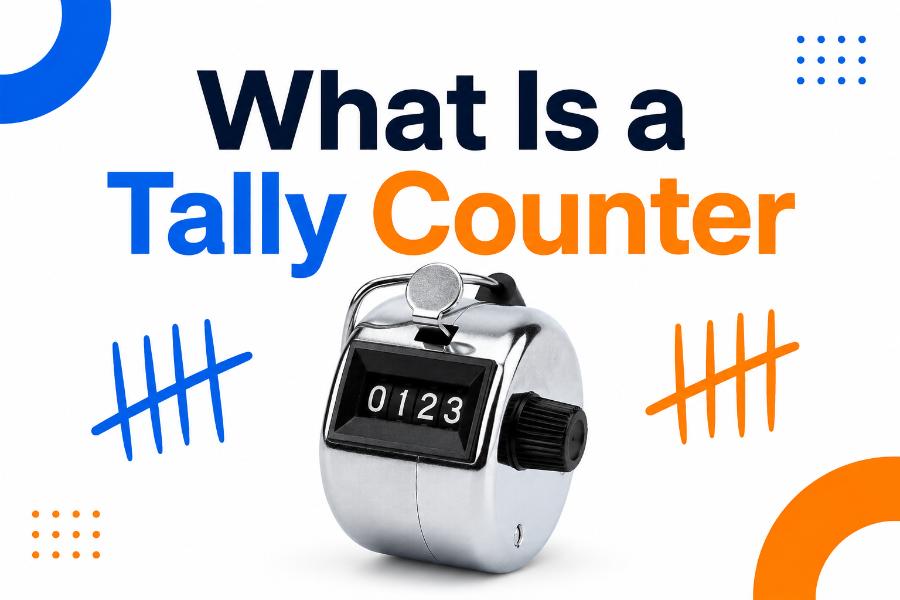
| Quick Answer: A tally counter is a device or digital tool used to record how many times an event occurs. Each press, tap, or input increases the displayed total, usually by one. Tally counters are commonly used for attendance, inventory, sports, traffic, repetitions, and event tracking. |
Counting repeated events sounds easy until the pace becomes fast or the total becomes large. Remembering a running number while watching people enter a room, monitoring traffic, completing exercise repetitions, or checking products can quickly lead to mistakes. A tally counter solves this problem by storing the total for you.
Understanding what is a tally counter includes more than recognizing the small handheld clicker used at events. Modern counters can be mechanical, electronic, browser-based, mobile, wearable, or built into software. They all perform the same core job: record one unit each time a defined event happens.
This guide explains the meaning of a tally counter, how it works, where it is used, the differences among common types, and how to choose and use one accurately.
Tally Counter Definition
A tally counter is a counting tool that displays a running total. The user activates it once for each event, object, person, repetition, or action being counted. Most counters increase by one with each press, although digital models may support custom increments, multiple counters, countdowns, or saved sessions.
The word “tally” refers to keeping a record of a number or amount. Traditional tally marks use vertical strokes grouped in fives. A counter performs the same function more efficiently by storing the total mechanically or electronically. It reduces the mental effort required to remember the latest number.
A tally counter does not decide what should be counted. The user must define the counting rule. For example, a store may count every person who crosses a specific entrance, while a coach may count only completed repetitions with correct form. Accurate results depend on a clear rule and consistent operation.
How Does a Tally Counter Work?
A mechanical tally counter contains small number wheels connected to a lever or push button. Pressing the button advances the ones digit. After the ones wheel moves from nine to zero, it advances the tens wheel. The same process continues for hundreds and thousands. A reset knob returns the display to zero.
An electronic counter uses a button or sensor to send an input to a circuit or software process. The stored number increases and the new total appears on a screen. Digital counters may include sound, vibration, memory, backlighting, multiple modes, or data export.
An online counter uses browser code to update a number when the user clicks, taps, or presses a keyboard key. A site such as ClickCounterTool.com can provide a quick counter on a desktop, tablet, or phone. Software counters may also record click speed, time intervals, sessions, or multiple labels.
Regardless of the technology, the basic workflow is the same: define one count, start at zero, register each qualifying event, correct mistakes when necessary, and record the final total.
A Brief History of Tally Counting
People used physical marks to record quantities long before modern number systems and electronic devices. Marks carved into wood, bone, clay, or stone helped track goods, debts, days, and animals. Grouping marks made larger totals easier to recognize.
Mechanical counters later made repeated counting faster. Handheld clickers became common in factories, transportation, laboratories, events, and sports. Their simple design required no electricity and could operate for years with basic care.
Electronic and software counters expanded the concept. Today a tally can be linked to databases, sensors, mobile apps, spreadsheets, and dashboards. The underlying need remains unchanged: capture repeated events without relying on memory.
Main Types of Tally Counters
Mechanical handheld counters are compact devices with a push button, rotating number display, and reset knob. They are durable, inexpensive, and do not require batteries. Many include a finger ring for a secure grip. They are suitable for simple one-person counting.
Electronic handheld counters display the total on an LCD or LED screen. They may support addition and subtraction, sound control, multiple channels, memory, and higher count limits. They need a battery but can offer more flexibility than mechanical models.
Finger counters are small digital devices worn around a finger. A thumb button makes them useful for exercise, meditation repetitions, knitting rows, inventory checks, and situations where the user needs one hand free.
Desktop counters include larger devices or software used at workstations. They may have external buttons, foot pedals, or programmable keys. Industrial versions can connect to machines or sensors and count items automatically.
Mobile and online tally counters run on phones, tablets, or browsers. They are convenient when you already have a device available. Features may include named counters, history, sound, themes, and sharing. Their reliability depends on battery power, browser behavior, and avoiding accidental screen touches.
Automatic counters use optical, infrared, pressure, magnetic, or motion sensors. They can count people, products, vehicles, rotations, or machine cycles without a person pressing a button. They are useful at high speed but require proper installation and calibration.
Common Uses of a Tally Counter
Attendance is one of the most familiar uses. Staff can count people entering a venue, classroom, bus, museum, store, or conference. Separate counters may track entries and exits to estimate current occupancy.
Retailers and researchers use tally counters for foot traffic studies. They may compare the number of visitors by hour, entrance, day, or promotion. The count can support staffing, store layout, and conversion analysis when combined with sales data.
Sports applications include counting laps, pitches, strokes, repetitions, successful attempts, fouls, or drills. Coaches can focus on technique while the counter stores the total. Swimmers may use manual lap counters, poolside displays, wearables, or a person at the lane end.
Manufacturing and inventory teams count parts, packages, defects, completed units, or quality checks. A counter is useful during cycle counts and repetitive production tasks. Important operations often pair the total with a written or digital log.
People also use counters for knitting rows, crochet stitches, prayer or meditation repetitions, exercises, breathing cycles, classroom participation, wildlife observations, traffic surveys, and scientific sampling.
Benefits of Using a Tally Counter
The main benefit is reduced mental load. You do not need to repeat the current number in your head, so you can pay more attention to the event being observed. This is especially helpful when interruptions are likely.
Counters are fast. One press records one event with minimal movement. Mechanical models are ready instantly, and digital tools can support keyboard shortcuts or large touch areas. A visible total also makes it easier to verify progress.
A counter improves consistency when the counting rule is clear. It can reduce skipped numbers, duplicated numbers, and memory errors. Digital counters may add timestamps or saved sessions, creating a more useful record.
Counters are adaptable. The same device can count visitors in the morning and exercise repetitions later, as long as it is reset and labeled appropriately. Multi-counter tools can track several categories at once.
Limitations and Sources of Error
A tally counter is only as accurate as the person or sensor operating it. Missed presses, double presses, accidental resets, unclear rules, fatigue, and distractions can change the result. A displayed number may look precise even when the counting process was inconsistent.
Mechanical counters normally provide no history. If the user forgets the starting value or accidentally resets the device, the previous total may be impossible to recover. Electronic devices may lose data when batteries fail or applications close unexpectedly.
Manual counting becomes difficult when events occur simultaneously or too quickly. One person may not be able to observe several entrances or a high-speed production line. In those cases, multiple counters, video review, or automatic sensors may be better.
A counter usually records quantity, not context. It does not explain who, when, where, or why. For decisions that require detail, combine the total with time blocks, categories, notes, or a data log.
How to Use a Tally Counter Correctly
First, define the event. Write a one-sentence rule such as “Press once for every person who fully crosses the entrance line.” This prevents uncertainty about partial entries, staff members, repeat visitors, or people who turn around.
Second, check the starting value. Reset the counter to zero or record the existing starting number. Test one or two presses before the real session, then reset again. For digital devices, confirm the sound, vibration, and screen-lock settings.
Third, use a steady rhythm and hold the counter comfortably. Do not press until the event is complete. If you make a mistake, correct it immediately using a decrement feature or a written adjustment. Avoid waiting until the end, when the error may be forgotten.
Fourth, divide long sessions into time blocks. Record subtotals every 15, 30, or 60 minutes. This protects against a lost total and provides more useful data. At the end, save or write down the final count before resetting the device.
How to Choose the Right Tally Counter
Choose a mechanical counter when you need simplicity, durability, and battery-free operation. Look for a clear display, comfortable button, secure finger ring, smooth reset knob, and a count range that fits the task.
Choose an electronic or online counter when you need subtraction, multiple counters, saved sessions, larger digits, sound control, or data sharing. Check whether the tool works offline, preserves data after closing, and prevents accidental resets.
For outdoor or industrial work, consider weather resistance, glove-friendly controls, impact resistance, and mounting options. For accessibility, choose large controls, high contrast, and feedback that can be seen, heard, or felt.
For high-speed or regulated operations, a manual clicker may not be sufficient. Consider an automatic sensor, two-person verification, or video-supported counting. The right counter should match the pace, risk, and detail required.
Tally Counter vs. Stopwatch, Calculator, and Spreadsheet
A tally counter records frequency: how many times something happens. A stopwatch records duration: how long something takes. Some tasks need both, such as counting clicks during a 10-second interval.
A calculator can add values, but it is not optimized for one-handed repeated input. A tally counter offers a single clear action and reduces the chance of entering the wrong operation. A calculator is better when the increment varies.
A spreadsheet is more powerful for storing categories, formulas, dates, and reports. It may be slower for live counting unless it uses buttons or forms. A practical workflow is to count with a handheld or online tool and transfer subtotals into a spreadsheet.
Examples of Tally Counter Workflows
For event attendance, one staff member counts entries and another counts exits. Every 30 minutes, they write down both totals and calculate current occupancy. The counters are reset only after the subtotals are safely recorded.
For exercise, the user names the movement, resets the counter, and presses only after each complete repetition. Sets are recorded separately so the device does not confuse total repetitions with repetitions per set.
For quality control, an inspector counts every defective item and records the batch number, sample size, defect type, and tally total. This turns a simple count into information that can support corrective action.
For online click practice, the user sets a fixed test time and clicks inside a defined area. The counter records total clicks, while the timer allows calculation of clicks per second. Repeating the test under the same conditions makes results more comparable.
Frequently Asked Questions
What does a tally counter count? It can count any clearly defined repeated event, including people, objects, repetitions, laps, clicks, defects, vehicles, or completed tasks.
Why is it called a clicker counter? Many handheld models make a click sound when the button is pressed. “Clicker” is an informal name for a mechanical or digital tally counter.
Can a tally counter count backward? Basic mechanical counters usually increase only, although the reset knob can change the display. Many electronic and online counters include a decrement button for corrections or countdowns.
How high can a tally counter count? The limit depends on the device. A four-digit mechanical counter usually displays 0000 through 9999. Digital tools may support much larger totals.
Is a tally counter accurate? It can be highly accurate when the event is clear and each occurrence is registered once. Human error, high speed, distractions, and accidental inputs can still affect the result.
Conclusion
A tally counter is a simple device or software tool that keeps a running total of repeated events. Each input normally adds one, allowing the user to count without memorizing the current number. Mechanical, electronic, online, wearable, and automatic counters serve different environments, but they share the same basic purpose.
For reliable results, define the counting rule, verify the starting value, correct errors immediately, record subtotals, and save the final number before resetting. A basic counter can be remarkably valuable when it is used with a consistent process.